

An old phone system nobody can support
The company that installed the PBX is gone, the handset beep is a mystery, and every change means a truck roll.
Business phones · IP phones · VoIP
Cloud phones for the office, home, and on the road. We port your numbers, install the phones, and handle support, so there’s no more juggling a phone company and an IT company.
The company that installed the PBX is gone, the handset beep is a mystery, and every change means a truck roll.
Circuits, taxes, and overage lines that do not match how people actually call. We start by reading the current bill with you.
The desk phone rings into an empty room. The customer hangs up. A cloud system can ring the app and the desk together.
Hybrid work pushed everyone onto private phones. A business number on the app keeps the personal line personal.
The pieces of a business phone system, in one place. Items that still need a yes from the team are marked.
Extensions, ring groups, hunt groups, call queues, and business-hour or holiday schedules, managed in the cloud.
Keep a phone system you already have and replace expensive PRI or analog lines with SIP trunks.
Desk phones, cordless sets, conference phones, and headsets, supplied pre-configured and installed.
Keep your local and toll-free numbers. We handle the letter of authorization, the customer service record, and the cut-over date. New numbers are available too.
“Press 1 for sales,” after-hours routing, and menus your callers can follow.
On-demand or automatic recording, with retention you choose. Pennsylvania is an all-party consent state, so the system can play an announcement. Your counsel should confirm how you use recordings.
Use the business number from iPhone, Android, Windows, or Mac. Calls ring in more than one place, and personal numbers stay off the caller ID.
Make and take outside calls in Teams. The exact method is confirmed before we design it.
Voicemails land in the inbox as audio and as text, so a message is not trapped on a handset.
Text from the business number. Carrier registration (10DLC) is part of the setup when this is in scope.
Conference bridges and video meetings for the conversations that should not be a pile of forwarded calls.
Call logs, queue stats, and missed-call reports so you can see what the front desk is fielding.
E911 with a dispatchable location, direct 911 dialing, on-site notification, and a location for remote users, in line with Kari’s Law and RAY BAUM’S Act. Caller ID is authenticated by the carrier with STIR/SHAKEN.
eFax and fax-to-email, plus analog adapters when a legacy fax machine or alarm line still has to stay.
We check internet, firewall, and switches, including quality-of-service, voice VLANs, and Power over Ethernet, so calls are clear. Optional failover internet is part of the design conversation. This is the advantage of buying phones from the team that already runs the network.
Desk, cordless, and conference phones we install and support. Photos are official Yealink product images.
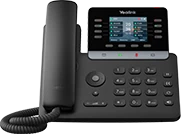
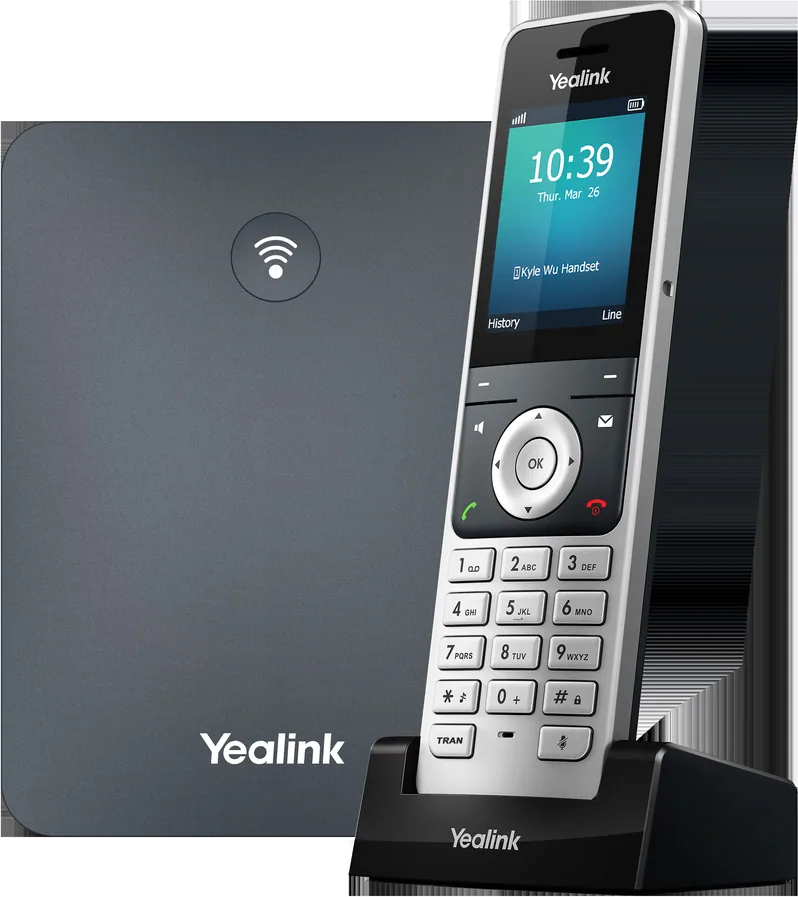
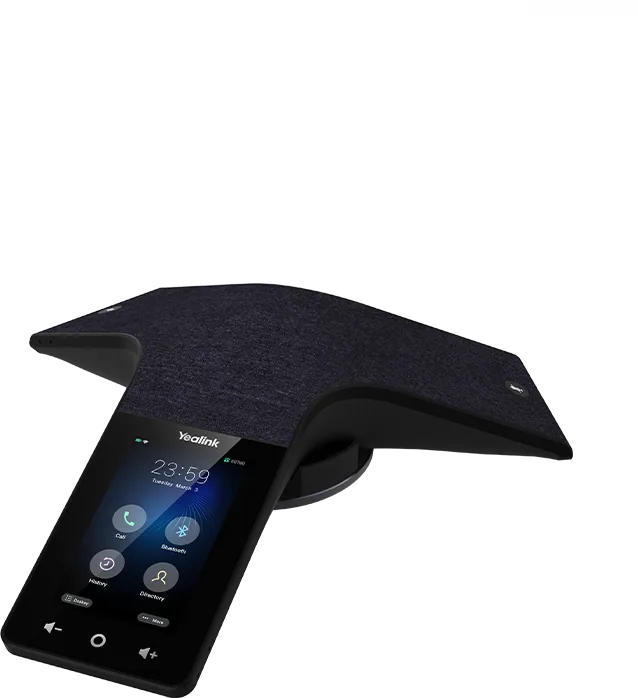
We read the current phone bill and list the numbers, the hunt groups, and the complaints.
Internet, firewall, and switch settings get a check before any handset is ordered.
You get a quote. The number port is submitted with the paperwork carriers require.
Handsets are pre-configured and delivered. Apps are ready for the people who will not have a desk phone.
Cut-over day is on site, remote, or both, on the date the port completes.
People get a short lesson. After that, phone tickets go to the same team as the IT tickets.
These groupings are a way to talk about scope. They are not a price sheet.
Small teams that need a business number and a clear menu.
Offices with a front desk, a few departments, and people who roam.
Teams that live in a queue and need to see what is waiting.
Tell us how you call today. We’ll reply with a scope, not a sticker price from a template.
Your email app should open with this message addressed to support@tritekcloud.com. This website does not store form submissions. If no email app opened, use the button below.
Phone trouble and computer trouble go to the same local team.
We own the path from the handset through the firewall to the carrier, so “the phones are bad” and “the network is bad” are the same ticket.
IT support and the phone service can sit on one invoice instead of two vendors who point at each other.
Admin access to the phone portal gets multi-factor sign-in, and toll-fraud controls are turned on with the rest of the build.
Yes. Keeping local and toll-free numbers is a normal part of the move. We manage the port paperwork and the cut-over date. A new number is available if you want one.
Calls can be forwarded to mobile numbers, and a second internet connection can be part of the design. We set that up on purpose during the network check. We do not publish a universal uptime promise.
Yes, we can connect outside calling to Microsoft Teams. Operator Connect, Direct Routing, and a platform’s own Teams app are the usual paths. Which one we use is confirmed before the proposal.
Remote users need a dispatchable location, not the office address pasted onto a laptop in another town. We collect that location, turn on direct 911 dialing, and configure on-site notification as Kari’s Law and RAY BAUM’S Act require.
Start with a phone quote, or book the broader IT assessment if the network needs a look too.